
1st Grade Computer Skills: What Your Child Should Know
What Are 1st Grade Computer Skills?
First graders (ages 6-7) are ready for a focused set of 1st grade computer skills: telling a regular machine apart from a "smart" one, turning a device on and off safely, taking real screen breaks, and trying a simple creative tool like a drawing app. None of this requires hours in front of a screen. At six and seven, most of what matters can be taught and practiced through conversation, then tried briefly with a grown-up nearby.
This age is also a good moment for simple conversations about artificial intelligence — not coding or technical detail, just noticing that some machines can learn from examples, the way a voice assistant responds to a question or an app suggests a video. HSEA's Grade 1 Technology subject builds these ideas in order: first how to look at the devices around the house, then how to use them safely, then how machines "think," and finally how to create something with them.
Technology Around Us: Starting With the Basics
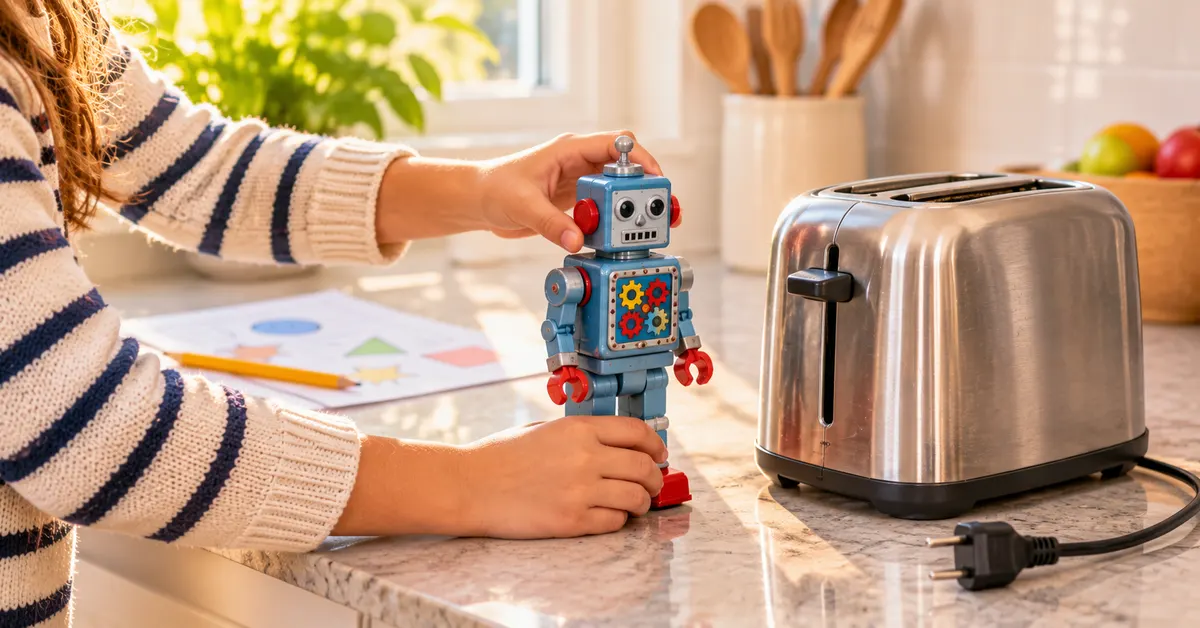
Before a 1st grader uses any device, it helps to talk about which objects around the house are "smart" and which are not — a toaster versus a tablet, for example. This distinction opens the Technology Around Us unit (lessons 1-8), and it builds the vocabulary a child needs for every lesson that follows.
A good first conversation at home: ask your child to name three machines in the house, then decide together whether each one "learns" or simply repeats the same steps every time. The free Identify Smart Machines That Can Learn lesson walks through exactly this idea — you can open its mini lesson and vocabulary at no cost to see how HSEA introduces the topic.
By lesson 5, children move from spotting smart machines to understanding, in plain terms, how people teach them: the four steps of collect data, train, test and use, in the right order. That is the full extent of the idea at this age — no code, just a mental model a six-year-old can repeat back.
Using Devices Safely
Safety comes before creativity. The Using Devices Safely unit (lessons 9-16) covers turning a device on and off the right way, recognizing a charger and a power button, and — just as important — taking regular screen breaks for the eyes and the body. These habits matter more than any app a child might use, and they're worth practicing consistently, the same way you would teach a child to look both ways before crossing a street.
A simple home routine
- Before using any device, have your child say out loud what they will use it for and for how long.
- Set a visible timer so your child learns to notice time passing, rather than relying on an adult to say "stop."
- After the device is off, talk for a minute about what they saw or did — this turns screen time into something to reflect on, not just consume.
How Machines Think: A Gentle Introduction to AI
Many parents searching for digital literacy for 1st grade wonder whether "AI" belongs in a six-year-old's learning at all. In the How Machines Think unit (lessons 17-24), the idea is introduced at the simplest level: some computers use artificial intelligence to learn from examples, the same way your child might notice that practicing a word makes it easier to read the next time.
Later lessons in the unit connect this idea to places children recognize, such as how smart tools can help people in hospitals or with learning. The goal is not to make a child an expert. It is to help them understand that some of the technology around them was taught by people, using real information, rather than appearing out of nowhere.
Creating With Technology
Once a child understands what a smart machine is and how to use a device safely, the Creating with Technology unit (lessons 25-32) turns to something more hands-on: opening a drawing app, trying paint tools, and — always with a grown-up present — watching how an AI helper can assist with a drawing or a piece of writing. This is usually the part first graders enjoy most, since it is the first time they get to make something rather than just talk about it.
The curriculum closes with the Digital Projects unit (lessons 33-40), where children talk about inventions that make life easier and look at examples like robots that help clean oceans or plant trees — tying technology lessons for 1st graders back to the world outside the house.
How to Teach These Skills at Home
The HSEA method applies to technology the same way it applies to every other subject. You print the lesson and have it ready before calling your child, read it together once, and talk about what you read — this discussion is the best moment of the lesson, and where most of the real learning happens. Your child then works through paper exercises, you correct them together, and the next day your child reviews the same lesson on screen for about 10 minutes. All together, that is one focused lesson: roughly 45 minutes at the table plus the 10-minute review. One lesson a day is a solid pace to start with; at most two.
Because early technology lessons lean more on conversation than on written exercises, the discussion matters even more here than in subjects like math or reading. A parent who asks, "Is that machine smart, or does it just do the same thing every time?" is already doing most of the teaching.
If you are just getting a routine going, How to Start Homeschooling: A Calm First-Month Plan walks through adding new subjects without overwhelming your child, and A Realistic Homeschool Schedule for Elementary Grades shows where a screen-light subject like this fits into a daily plan.
Technology does not need to dominate a first grader's day to be taught well. A handful of focused conversations about smart machines, safe habits, and simple creative tools cover what should matter at this age — and HSEA's Grade 1 Technology subject brings all of it together in order, lesson by lesson.
Frequently asked questions
What computer skills should a 1st grader have?
At this age, 1st grade computer skills are mostly about safe habits and simple understanding: telling a smart machine from a regular one, turning devices on and off safely, taking screen breaks, and trying a simple drawing app with a grown-up nearby. Coding and typing come later.
Does a 1st grader need to learn about artificial intelligence?
Not in a technical sense. First graders can grasp that some computers learn from examples, the way a recommendation app suggests a video, and see a few real examples, such as AI tools that help in hospitals or with learning, always introduced with a grown-up present.
How much screen time do these lessons require?
Very little. Most of the ideas can be discussed away from a screen. In HSEA's Grade 1 Technology subject, each lesson is one focused lesson at the table, with a 10-minute on-screen review of that same lesson the next day.
What is the best way to teach technology skills for 1st grade at home?
Start with conversation, not screens: ask your child to spot smart machines around the house, practice turning devices on and off safely, and introduce creative tools like drawing apps gradually, always with a grown-up nearby.